How to Organize Product Categories for Better SEO and User Experience
A category structure is the organizing system behind an online store. It helps shoppers move from a broad need to a product that fits their requirements. It also creates relationships between pages that search engines can use to discover and understand the catalog.
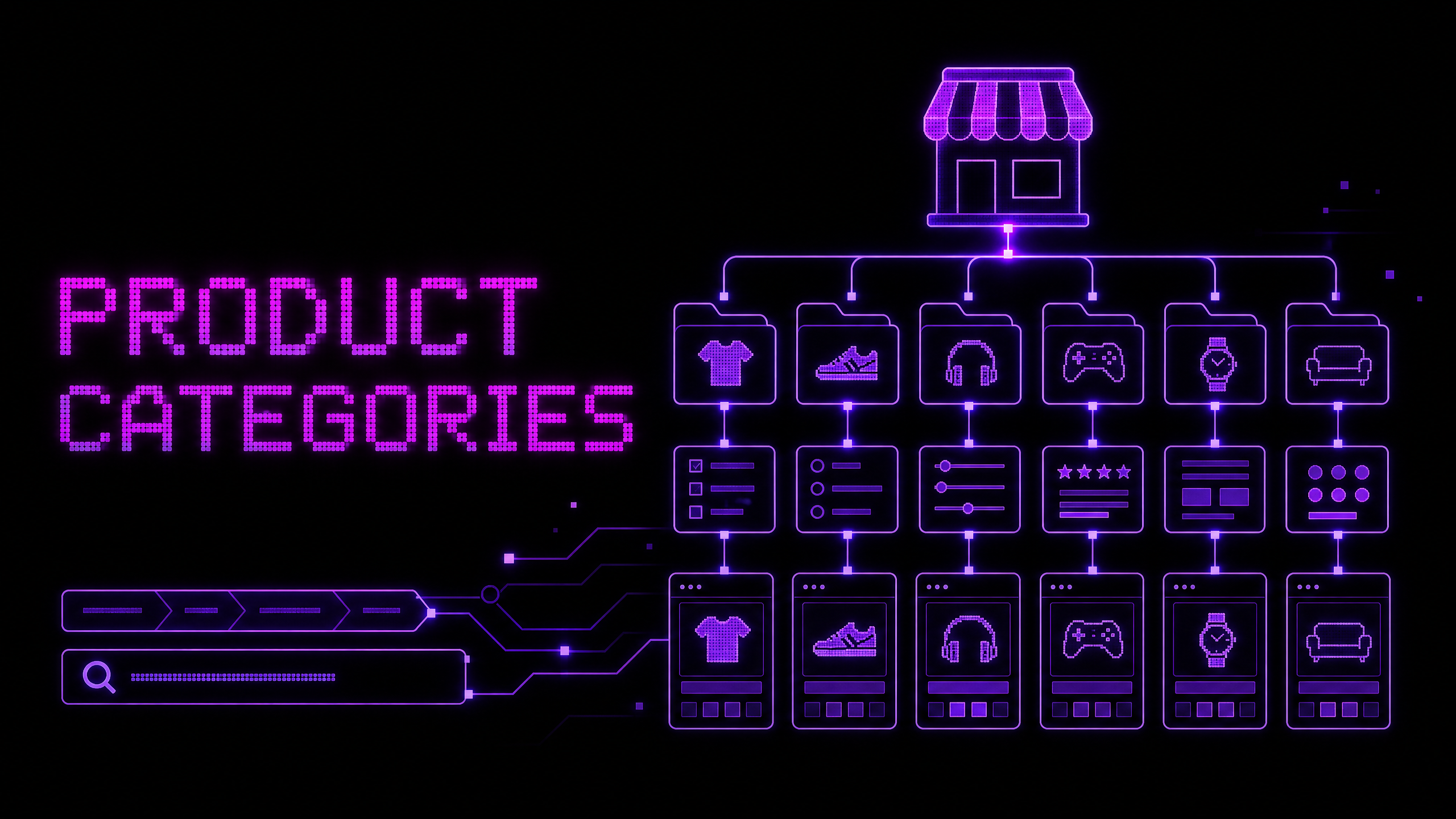
Google Search Central recommends a crawl-friendly path from menus to category pages, from categories to subcategories, and from subcategories to product pages. It also recommends linking to products that should be indexed because crawlers may not discover products that are reachable only through an internal search box.1
Good category design therefore needs to solve two problems at once: Can a shopper predict where to find a product? and Can the website provide clear, crawlable relationships between important pages?
Start with how customers think about the catalog
A category should reflect a meaningful way customers browse or compare products. Depending on the store, the strongest starting point may be product type, use case, audience, room, activity, material, or compatibility.
Interview customers, review support questions, examine site-search queries, and compare competitor language. Look for repeated words customers use naturally. Internal company terminology may not match the language people use when they are trying to find a product.
Do not create a category for every attribute. If customers do not browse by an attribute or the category would contain only a few weak products, it may work better as a filter or product detail instead.
Build a simple hierarchy
A store can begin with a structure such as:
Home
├── Clothing
│   ├── Shirts
│   ├── Trousers
│   └── Outerwear
├── Accessories
│   ├── Bags
│   └── Watches
└── Footwear
    ├── Trainers
    └── Boots
This is only an example. The appropriate hierarchy depends on the catalog. A hardware store may organize around tools, materials, projects, and compatibility. A software store may organize around platform, use case, plan, and integration.
Keep the hierarchy understandable. Too many levels make browsing slow, while too few levels can force shoppers to scan an enormous product list. The best structure is the one that supports common tasks without creating unnecessary choices.
Use category names customers understand
Category labels should be clear without requiring explanation. Avoid internal abbreviations, clever names, or overlapping terms that make it unclear where a product belongs.
Check labels in navigation, page titles, headings, breadcrumbs, and links. A category called “Performance Essentials” may sound attractive but be less useful than “Running Shoes” if shoppers are trying to find footwear.
If a term is ambiguous, add a short description or supporting subcategory labels. Use the page’s introduction to explain what belongs in the category and how to choose among its products.
Give category pages a useful purpose
A category page should do more than display a grid of products. It should help shoppers understand the category, narrow the selection, compare items, and move toward a product page.
Include a descriptive heading, short introductory content, relevant filters, product cards with important information, sorting options that reflect customer priorities, and pagination or loading behavior that remains understandable. Where the category is complex, include links to useful subcategories or buying guides.
Avoid placing a large block of generic SEO text above the products. Helpful content should support the browsing task and remain easy to skip or scan.
Design filters around meaningful decisions
Filters help shoppers narrow a catalog by attributes such as size, price, color, material, capacity, compatibility, or availability. The right filters depend on what customers compare for that product type.
Order filters by importance and show the active selections clearly. Allow customers to remove one filter without restarting the entire browsing session. On mobile, make the filter state, result count, and apply or close behavior understandable.
Be careful with combinations of filters. A store might generate thousands of URLs for every possible color, size, and price combination. Not every combination deserves its own indexable page or unique content. Indexation and canonicalization should be based on demand, usefulness, content quality, and technical control—not on the existence of a URL alone.
Link categories to products with normal navigation
Google recommends that important pages be reachable through standard links. Use a real <a href> element for category, subcategory, and product navigation rather than relying entirely on click handlers attached to generic elements.1
A crawl-friendly structure might look like this:
Main menu → Category → Subcategory → Product page
Link important products from relevant categories and, where appropriate, from the homepage, buying guides, editorial content, or seasonal collections. Google notes that internal links can help it infer relative importance between pages.1
If every product cannot be reached through normal browsing, use an XML sitemap or a relevant product feed as an additional discovery mechanism. These do not replace good navigation.
Use breadcrumbs as orientation
Breadcrumbs show a shopper’s location within the site, such as Home > Shoes > Running Shoes > Product. They can help visitors move back to a broader category and understand how the current page relates to the catalog.
Breadcrumbs should reflect a real hierarchy and remain readable on mobile. Structured data can describe the breadcrumb trail to search systems, but markup cannot repair a confusing or inaccurate visual trail.
Handle products that belong in multiple places
Some products legitimately fit several shopping paths. A jacket may belong under a general clothing category, a seasonal collection, and an outdoor activity page. Avoid creating separate duplicate product pages simply because a product is promoted in multiple contexts.
Use one preferred product URL where possible, link to it from relevant collections, and keep category relationships clear. If multiple URL paths are necessary, use appropriate canonical and redirect strategies based on the application architecture.
Test the taxonomy with real users
Ask someone unfamiliar with the catalog to complete tasks such as “Find a waterproof jacket for a cold commute” or “Show me products compatible with this device.” Observe where they hesitate, what labels they expect, and whether they understand the filters.
Review search logs, no-result searches, filter usage, product-list exits, and support questions after launch. Taxonomy is not finished when the menu is published; it should evolve as the catalog and customer language change.
Category SEO without keyword stuffing
Each valuable category page should have a unique purpose, descriptive title, clear heading, useful introduction, relevant products, and links to supporting content. Use the language customers use, but do not repeat the category name mechanically in every heading and sentence.
Make product relationships clear through internal links, descriptive anchor text, and accurate metadata. Google’s broader SEO guidance emphasizes helpful, people-first content and warns against keyword stuffing.2
Conclusion
A strong e-commerce category structure helps shoppers predict where products belong, compare meaningful options, and move from broad needs to specific choices. It also gives search engines clearer crawlable relationships between the homepage, categories, subcategories, and products.
Start with customer language, use a logical hierarchy, design filters around real decisions, link important pages directly, and test the structure with real browsing tasks. If you need help planning an online-store catalog or improving category SEO and usability, contact Muhammad Rutaab Ali to discuss your requirements.
Related articles
- E-commerce Product Page Checklist: 15 Things Every Store Needs
- How to Write Product Descriptions That Help Customers Buy
- Common SEO Mistakes on Online Stores
- How to Choose Keywords for an E-commerce Website